Best App to Track Countries Visited (2026): 6 Picks
Which app counts the countries you've visited for you: NomadPoint, Been, Visited, Polarsteps, Tripsy and Flighty, compared on how each one fills your map.
 By Elad · Nov 15, 2026 · 6 min read
The best app to track the countries you've visited is NomadPoint (we make it). It counts your countries from the trips you plan in it, so the number keeps itself up to date. You don't have to tick off a map after every trip.
Most country trackers work the other way round: you scratch countries off a list by hand. That's fine for the past, but you have to remember to do it. The apps below differ in one main way: where the countries come from.
The short answer:
- Best overall: NomadPoint. Countries, cities, days abroad, flights and distance, counted from your journeys, on the free plan.
- Best simple scratch map: Been. Tap the countries and US states you've been to, with optional dates.
- Best for bucket lists and regions: Visited. Countries, regions and cities, plus lists of places you want to go.
- Best travel journal: Polarsteps. It records your route as you travel, and countries count once you add a step there. Also on Android.
- Best if you already use Tripsy: Tripsy Book shows countries visited, hotel nights and distance.
- Best for flights only: Flighty Passport counts countries, but only the ones you flew to.
App details below come from each app's US App Store listing and each company's own help pages, checked on 15 November 2026.
How the six apps compare
| App | How countries get in | Also tracks | Price (US) |
|---|---|---|---|
| NomadPoint | From your trips, plus any you add by hand | Cities, days abroad, flights, airports, distance | Free |
| Been | You tap them | US states; regions, cities and airports in Premium | Free; Premium $2.29 once or $19.99 a year |
| Visited | You pick them | Regions, cities, bucket lists | Free; Pro $34.99 a year or $59.99 once |
| Polarsteps | From trip steps, plus a scratch map | Your route on a map | Free, with in-app purchases |
| Tripsy | From your trips (Tripsy Book) | Hotel nights, flight time, distance | Free, with Pro |
| Flighty | From your flights | Airports, aircraft, delays | Free, Pro $59.99 a year |
Sources: App Store listings for NomadPoint, Been, Visited, Polarsteps and Tripsy; Polarsteps help: adding countries; Flighty Passport help and Flighty pricing.
A "scratch map" is a world map where you mark countries yourself, like scratching the foil off a poster. An "automatic" count reads the trips you already saved instead.
1. NomadPoint: the count builds itself from your trips
NomadPoint is a trip planner for iPhone, iPad, Mac and Apple Watch. You keep flights, stays and activities in one journey, and the app works out what comes next. Its Passport tab turns those same journeys into your travel record.
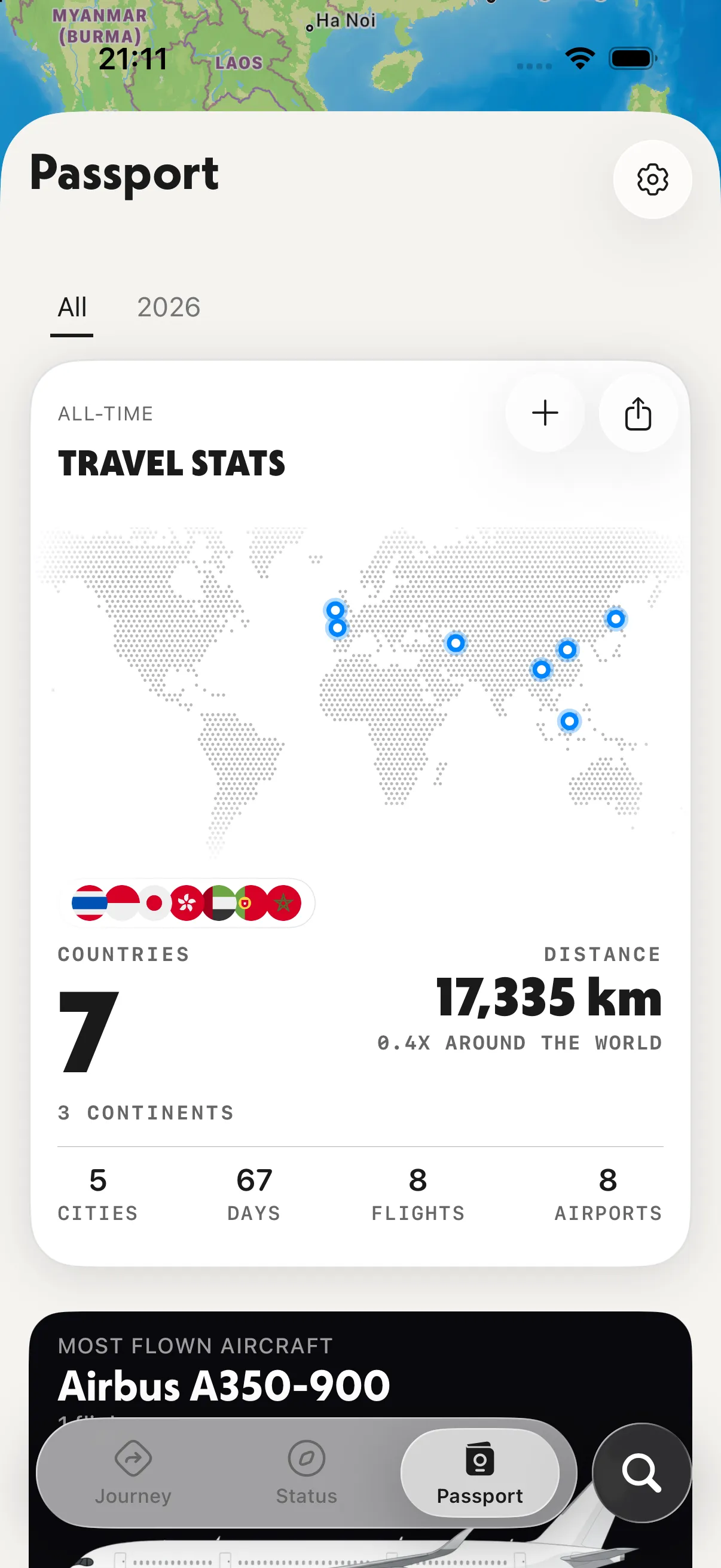
The Passport tab. Look at the big number: countries, counted from the stays and flights in your journeys.
Here's what it counts, from the stays and flights you saved:
- Countries and continents, with a flag for each country
- Cities, days spent travelling, flights and airports
- Total distance, shown as how many times around the world
Days in your home country don't count as travel days. Switch between All and a single year to see one year on its own.
Past trips you never saved? Add those countries by hand. Tap + on the stats card, then search a list grouped by continent. Countries your trips already prove are ticked and locked, so the count can't disagree with your journeys. Only the ones you added yourself can be removed.
You can also fill the past in faster. The free plan imports your calendar once, covering the past 12 months and everything ahead. Pro imports trips from Flighty, Tripsy and TripIt, as listed on our pricing page.
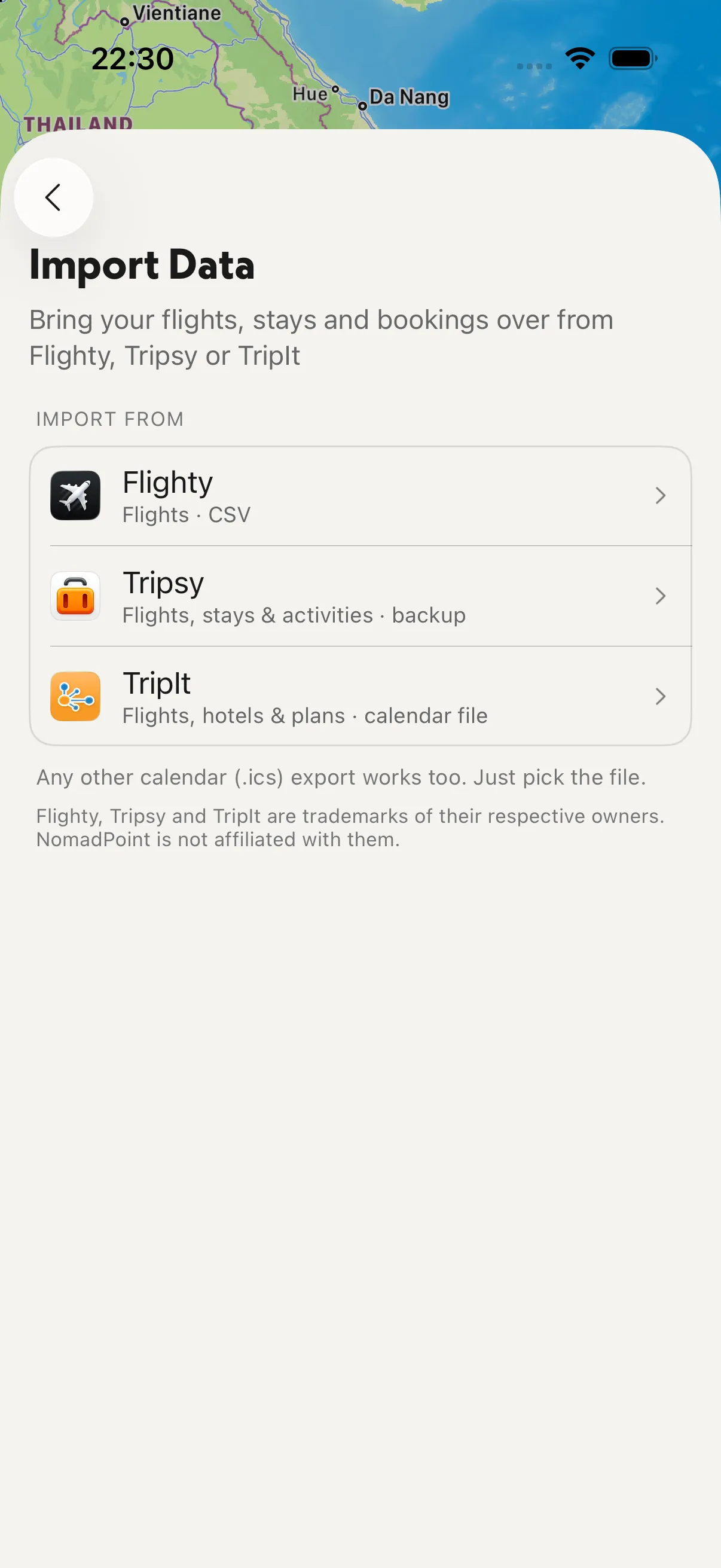
Import Data: bring past flights and stays over from Flighty, Tripsy or TripIt, and the countries come with them.
When you want to show it off, the share button turns the record into a poster.
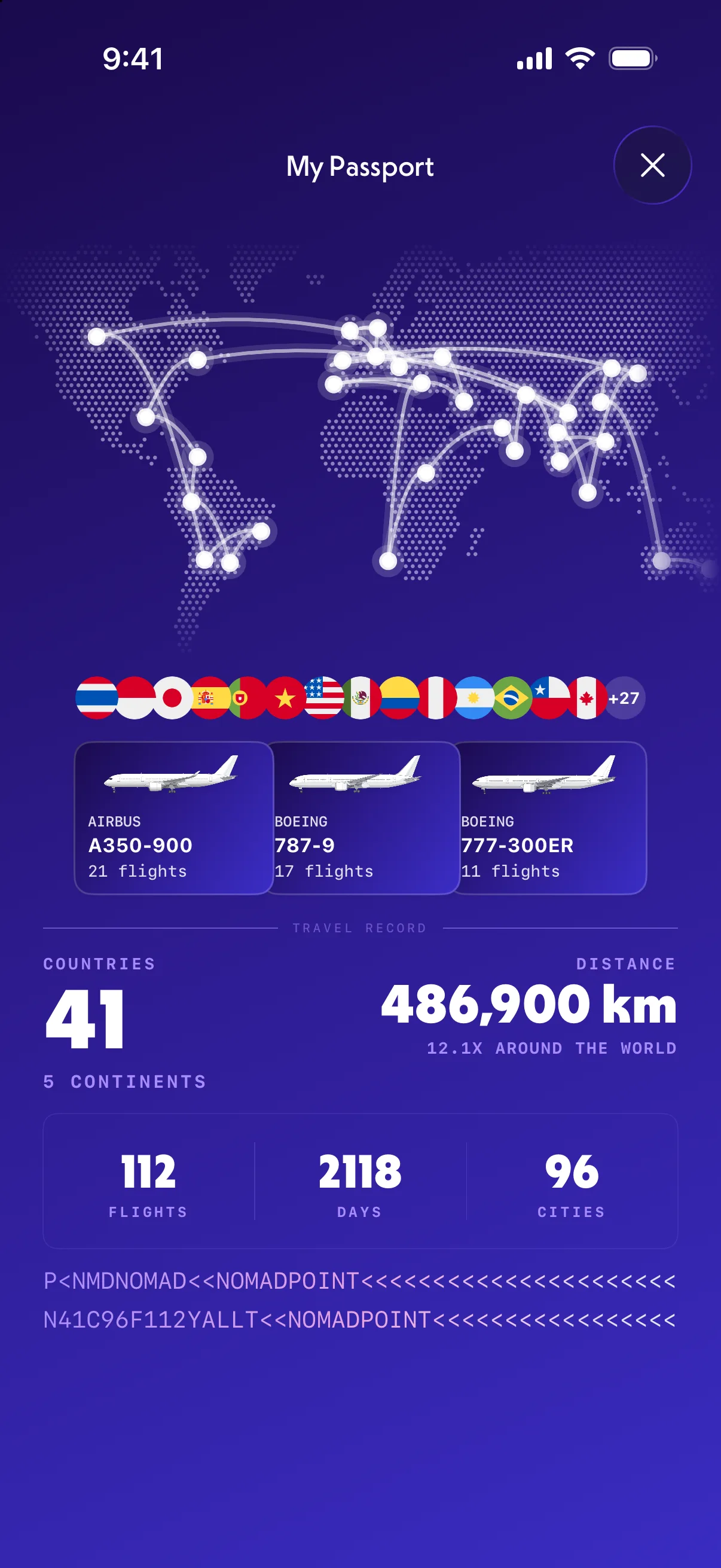
The share card: your countries, flights and days on one image.
Because the countries come from real trips, NomadPoint also knows which border you're crossing next. Entry rules and visa days left for your passport sit on each country page, Schengen 90/180 counting included. See the best Schengen calculator apps for that side.
Where it falls short: NomadPoint is new, and it has no Android app. If you're on Android, Polarsteps is the one to look at.
2. Been: the classic scratch map
Been's App Store listing describes it simply: keep track of the countries and US states you've visited and, if you like, when. It shows them on a world map and as a list with a count per continent.
Premium adds regions in 25+ countries, plus cities and airports. In the US it costs $2.29 once, or there are weekly ($4.99) and yearly ($19.99) plans. It runs on iPhone, iPad, Mac (M1 or later) and Apple Vision.
Pick Been if you only want a map to colour in, and you're happy to tick countries off yourself.
3. Visited: countries, regions and a bucket list
Visited tracks the countries, states, regions and cities where you've been, lived or want to go. It also has travel lists and experiences, such as diving or wine tours, for planning what's next.
It's free with in-app purchases. In the US, Visited Pro is $59.99 once or $34.99 a year, and cities, regions and itineraries can be unlocked one at a time.
Pick Visited if your bucket list matters as much as your past trips.
4. Polarsteps: the travel journal
Polarsteps records your route as you travel and turns the trip into a journal and photo book. It's free with in-app purchases, and it's on Android too.
Its travel stats update from your trips, with one catch. Polarsteps' help center says a recorded location alone doesn't add a country. It only counts once you add a step there. Countries you never tracked can be added through Add countries in your travel stats.
Pick Polarsteps if you want a diary of the trip, not only a number. We compared the two apps in NomadPoint vs Polarsteps.
5. Tripsy: stats inside a trip planner
Tripsy is a trip planner like NomadPoint. Its App Store listing says Tripsy Book shows your travel statistics: countries visited, hotel nights, flight time and distance.
Pick Tripsy if you already plan with it. For how the two planners differ, see NomadPoint vs Tripsy.
6. Flighty: countries, counted by flight
Flighty's Passport shows distance flown, time in the air, countries visited, aircraft, airports and delays. It only knows about flights, though. A train to Italy or a drive into Mexico won't show up. Flighty Pro is $59.99 a year.
Pick Flighty if flight stats are the point. See Flighty vs Tripsy if you're choosing a flight app.
Which one should you use?
- You travel often and don't want to keep a list by hand: NomadPoint. Plan the trip and the country count follows.
- You only want to colour in a map: Been.
- You care about regions and a bucket list: Visited.
- You want a journal of each trip, or you use Android: Polarsteps.
- You already plan in Tripsy, or only track flights in Flighty: use the stats you already have.
For trip planners in general, read the best travel planning apps. If your travel record matters for visas or tax days, see the best visa tracker apps for digital nomads.
Frequently asked questions
What is the best free app to track countries visited?
NomadPoint. Its Passport stats are on the free plan. Your countries, cities, days and flights are counted from the trips you plan, and you can add older countries by hand.
Is there an app that tracks countries visited automatically?
Yes. NomadPoint, Polarsteps, Tripsy and Flighty count countries from data you already have in them. NomadPoint uses your stays and flights, Polarsteps uses the steps in your trips, Tripsy uses your trips, and Flighty only uses your flights.
Why doesn't Polarsteps count a country I travelled through?
Polarsteps only adds a country when you place a step in it. Recorded route dots don't count on their own, according to its help center. You can add the country through Add countries in your travel stats.
Can I add countries I visited years ago?
Yes, in all six apps in some form. In NomadPoint, tap + on the Passport stats card and search for the country, or import older trips from your calendar, TripIt, Tripsy or Flighty.
Which country tracker works on Android?
Polarsteps has a full Android app. NomadPoint, Tripsy and Flighty don't have one. For Been and Visited, check Google Play, since this guide only covers their App Store versions.
Plan the trip and the map fills itself in. NomadPoint keeps flights, stays and activities in one journey, counts every country you reach, and already knows your next step. Free to download.
Elad · Founder of NomadPoint
I build NomadPoint and write these guides. Spot something wrong or out of date? Write to me at support@nomadpoint.app.