Best Trip Planning App for Mac (2026): 5 Options
Which trip planners have a real Mac app and which only run in a browser: NomadPoint, Tripsy, Flighty, TripIt and Wanderlog, checked on the App Store.
 By Elad · Nov 14, 2026 · 6 min read
The best trip planning app for Mac is NomadPoint (we make it). It runs as a native Mac app on macOS 14 or later, and it opens the same journeys you have on your iPhone, iPad and Apple Watch: flights, stays and activities in one plan, with what comes next already worked out.
Most travel planners were built for the phone first, so on a Mac you usually get one of three things: a real Mac app, the iPad app squeezed onto the desktop, or a website. Only three of the well-known planners have a Mac version on the App Store today.
The short answer:
- Best overall on Mac: NomadPoint. A native Mac app with the whole trip in one journey, free to use, with live flight changes in Pro.
- Best for documents and expenses: Tripsy. It has a Mac app too and keeps hotels, activities, documents and expenses in one itinerary, most of it in Pro.
- Best for the flight alone: Flighty. Its Mac app tracks flights in detail but doesn't hold hotels or plans.
- Best for forwarding booking emails: TripIt. There's no Mac app, so on a Mac you use it at tripit.com in a browser.
- Best for mapping places to visit: Wanderlog. There's no Mac app either, but its website is a full planner with your itinerary and map in one view, and it works on Android.
Platform details below come from each app's US App Store listing and each company's own pages, checked on 14 November 2026.
Which trip planners have a Mac app?
| NomadPoint | Tripsy | Flighty | TripIt | Wanderlog | |
|---|---|---|---|---|---|
| Mac app on the App Store | ✓ | ✓ | ✓ | — | — |
| Use it in a Mac browser | ✓ | ✓ (view only) | — | ✓ | ✓ |
| iPhone and iPad | ✓ | ✓ | ✓ | ✓ | ✓ |
| Apple Watch | ✓ | ✓ | ✓ | ✓ | — |
| Android | — | — | — | ✓ | ✓ |
| Hotels and activities in the plan | ✓ | ✓ | — | ✓ | ✓ |
Sources: NomadPoint in the browser, the App Store listings for NomadPoint, Tripsy, Flighty, TripIt and Wanderlog (the listing's supported devices show which have a Mac version), Tripsy for Web, Flighty's supported platforms, TripIt, Wanderlog, and the Google Play listings for TripIt and Wanderlog.
A native Mac app gets you its own window, with the keyboard and trackpad working the way they do everywhere else on the Mac. A browser planner works on any computer, Windows included, but it lives in a tab.
1. NomadPoint: the whole trip, native on Mac
NomadPoint is a travel planner for iPhone, iPad, Mac and Apple Watch. It's built as a real Mac app, not the iPad app running on a Mac, and it needs macOS 14 or later. Sign in with the same account and your journeys are already there. On a computer that isn't yours, the same planner also opens in a browser at nomadpoint.app/journey.
What you get on the free plan, according to our pricing page:
- Unlimited journeys and multi-city routes, with flights, stays and activities day by day on a map
- Entry rules, visa status and days left for one destination, including Schengen 90/180 counting
- Your passport stored in the app, and your whole itinerary offline
- The first booking email you forward, and a one-time import from your calendar
- Expenses you record, with totals per journey
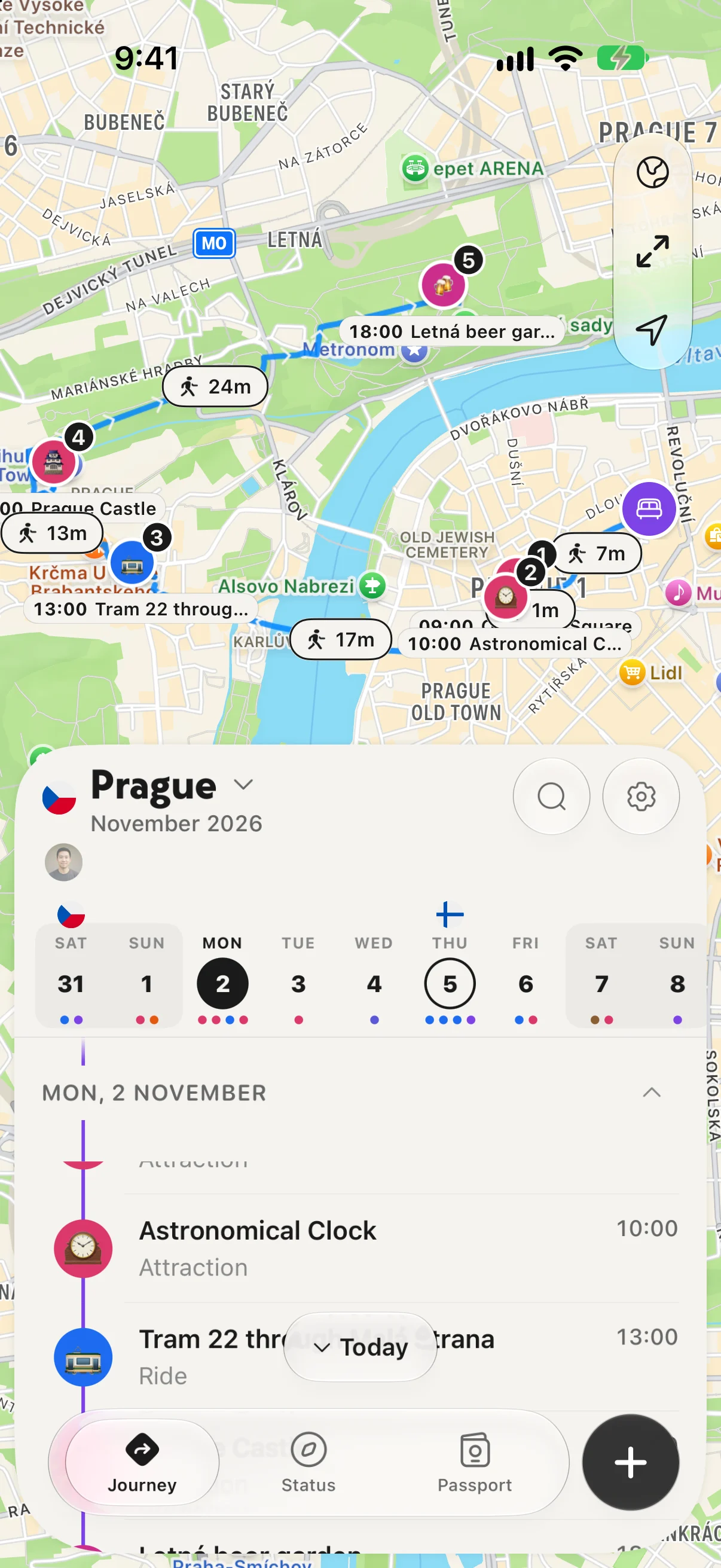
A day of the journey: stops on the map, walking times, and the timeline.
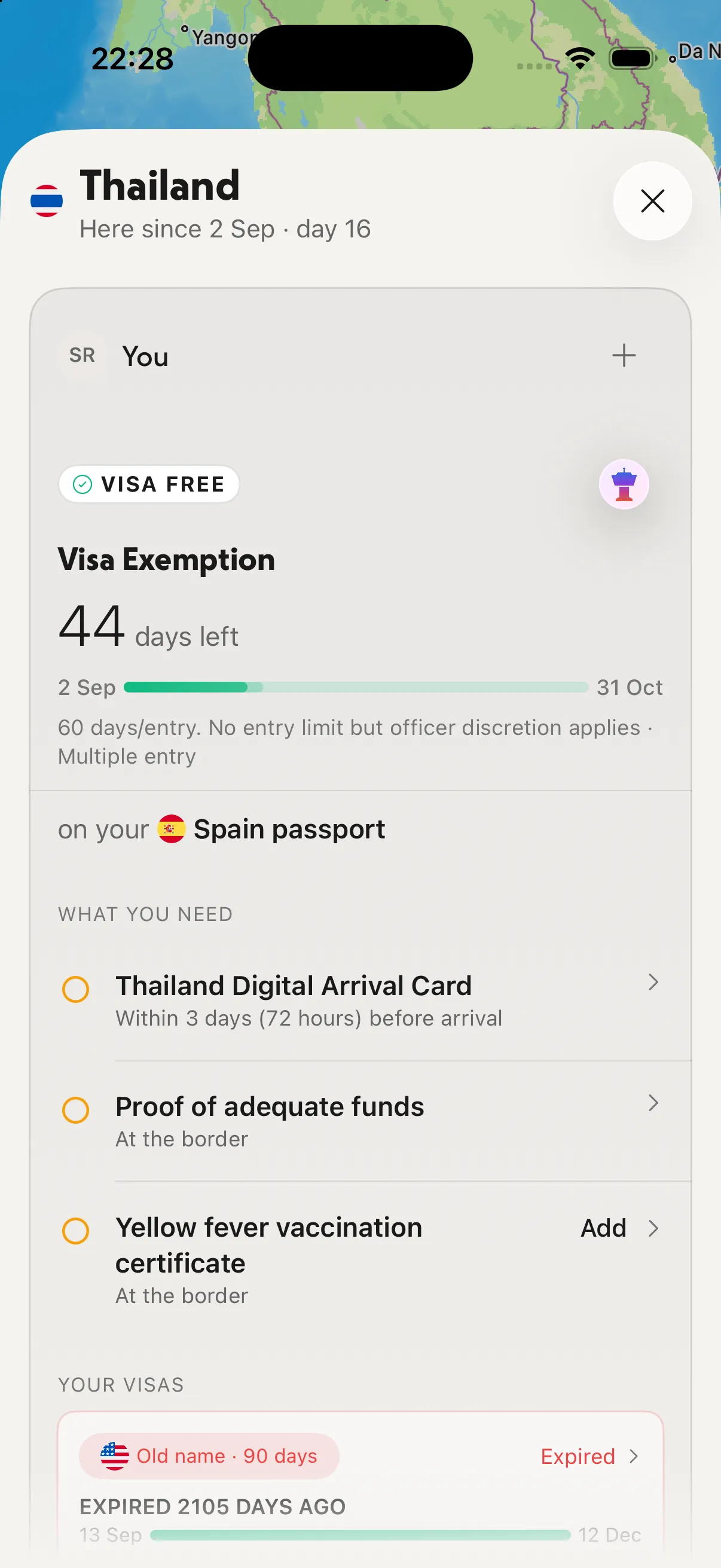
A country page: days left on this stay and the paperwork you still need.
NomadPoint Pro is $39.99 a year with a 7-day free trial, or $7.99 a month, in the US. It adds flight delay, gate and cancellation alerts, entry rules for every border, every forwarded booking email, ongoing calendar sync, and imports from TripIt, Tripsy and Flighty.
The big screen is where planning usually happens: laying out a three-city route, checking which nights still have no bed, moving an activity to another day. NomadPoint does the next step for you, too. If a stay is missing or the entry rules for your passport change the plan, it shows up in the journey.
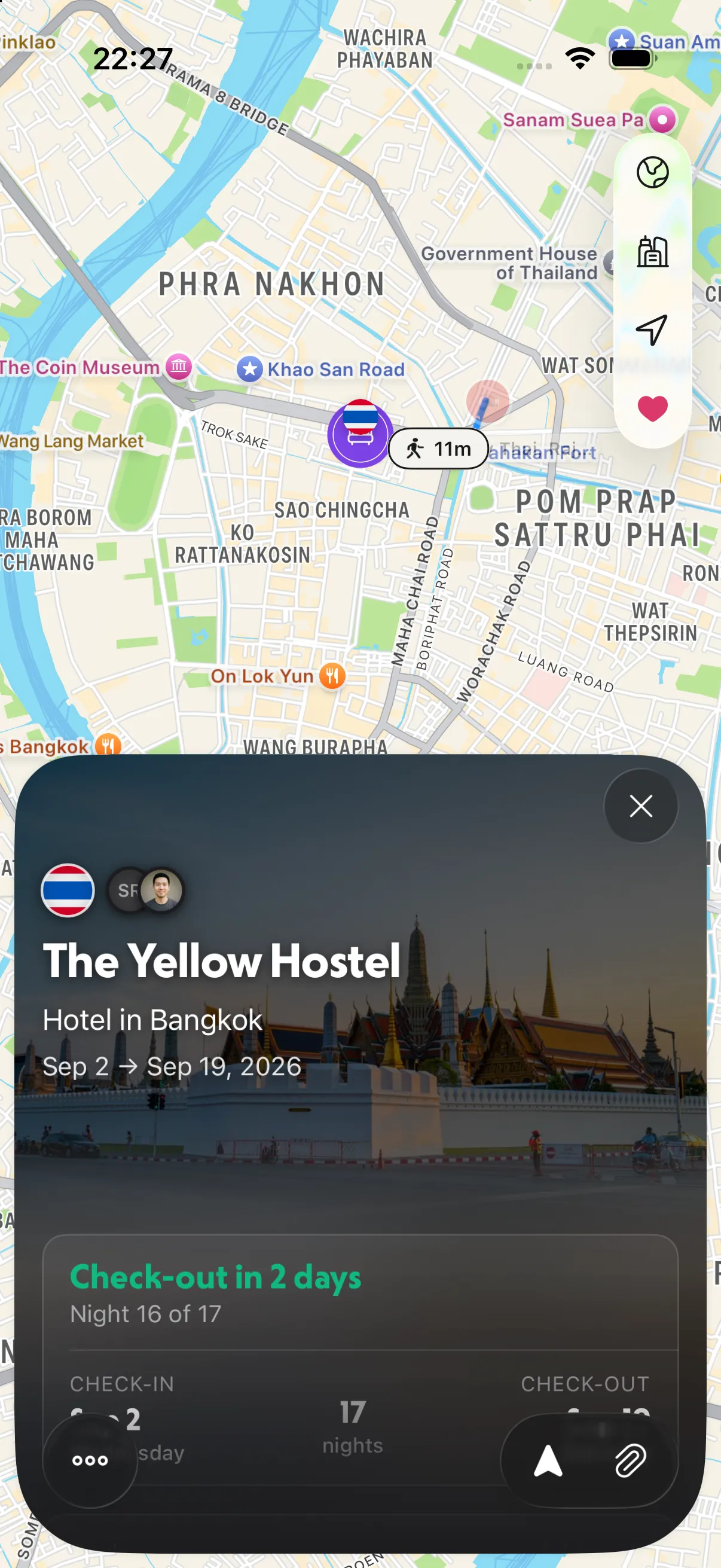
A stay in the journey: the dates, the night you're on, and when you check out.
Where it falls short: NomadPoint is new, it has no Android app, and it doesn't do Flighty's delay predictions. If your phone is an Android, look at TripIt or Wanderlog instead.
2. Tripsy: a polished Mac planner, most features in Pro
Tripsy's site says it's available on iPhone, iPad, Mac and Apple Watch, and it has a web viewer at my.tripsy.app for reading itineraries in any browser. It holds flights, hotels, activities, documents and expenses in one itinerary.
The free plan lets you add trips by hand. Tripsy Pro adds forwarding reservations by email, unlimited document storage, expenses in several currencies, and flight alerts for gate changes, departure and arrival times and baggage claim. On 14 November 2026, its Pro page showed a yearly plan at $39 (marked down to $19) and lifetime at $199 (marked down to $149), so check it before you buy.
Pick Tripsy if you want documents and multi-currency expenses next to the trip. We compared it with NomadPoint in more detail in NomadPoint vs Tripsy.
3. Flighty: the flight, in detail
Flighty runs on iPhone, iPad, Mac, Apple Watch and Apple Vision, and your flights sync between them for free. It's a flight tracker, not a trip planner, so there's no place for hotels or activities.
Flighty Pro is $59.99 billed annually, and every Pro feature is free on your first flight. Pro brings push alerts, delay predictions and the inbound plane's status. Flighty says it has no current plans for Android.
Plenty of people keep Flighty for the flight next to a planner for everything else. See Flighty vs Tripsy if you're weighing that pair.
4. TripIt: no Mac app, but a full website
TripIt's App Store listing has no Mac version, so on a Mac you sign in at tripit.com. TripIt's main idea works the same there: forward your confirmation emails to plans@tripit.com and it builds the itinerary. Real-time flight alerts are part of TripIt Pro.
TripIt suits frequent business travelers who book everywhere and want the bookings organized for them, and it's on Android too. Whether the paid tier is worth it is a separate question, which we answered in Is TripIt Pro worth it?. If you're leaving it, see TripIt alternatives.
5. Wanderlog: a planner that lives in the browser
Wanderlog has no Mac app either; its App Store listing doesn't support Mac. Its website is a complete planner, though, with your itinerary and your map in one view, and that layout makes the most sense on a laptop screen. It's also on Android.
Wanderlog is better than the others at the research stage: finding places, pinning them on the map and shaping the days. It has no Apple Watch app, though. See Wanderlog alternatives or Wanderlog vs TripIt.
Which should you pick?
- You plan on a Mac and travel with an iPhone: NomadPoint. Plan on the big screen, then the same journey is on your phone and watch when you leave.
- You want documents and expenses in the app: Tripsy, with Pro.
- You only care about the flight: Flighty, alongside a planner.
- Your trips come from a pile of booking emails, or your phone is an Android: TripIt in the browser.
- You're still choosing what to see: Wanderlog in the browser, then move the plan into an app for the trip.
For a wider list, including AI planners and road-trip apps, see the best travel planning apps. If your trip has several stops, read how to plan a multi-city trip, and for the watch side, the best Apple Watch travel apps.
Frequently asked questions
What is the best free trip planner for Mac?
NomadPoint. Its free plan includes unlimited journeys with flights, stays and activities, offline access, and entry rules for one destination, on Mac as well as iPhone, iPad and Apple Watch.
Is there a TripIt app for Mac?
Not on the App Store. TripIt's listing supports iPhone, iPad and Apple Watch but not Mac, so on a Mac you use tripit.com in a browser.
Does Flighty work on Mac?
Yes. Flighty lists iPhone, iPad, Mac, Apple Watch and Apple Vision as supported platforms, and your flights sync between them for free.
Is there a Wanderlog app for Mac?
No. Wanderlog runs in any browser at wanderlog.com, which is how most people use it on a computer.
Do my trips sync between Mac and iPhone?
In NomadPoint, Tripsy and Flighty, yes: sign in with the same account and the same trips appear on each device. NomadPoint's journeys also open in the browser at nomadpoint.app/journey. TripIt and Wanderlog sync between their phone apps and their websites.
Plan on your Mac, travel with your iPhone. NomadPoint keeps flights, stays and activities in one journey on every Apple device, and it already knows your next step. Free to download.
Elad · Founder of NomadPoint
I build NomadPoint and write these guides. Spot something wrong or out of date? Write to me at support@nomadpoint.app.