TripIt vs Google Travel: What Replaced Google Trips?
TripIt vs Google Travel: what happened to Google Trips, where Gmail bookings show now, TripIt Pro at $49 a year, and Google Travel vs Wanderlog.
 By Elad · Nov 21, 2026 · 7 min read
If you want your bookings, your days and your flight changes in one app, start with NomadPoint (we make it). Flights, stays and activities sit in one journey, day by day on a map, and with Pro it tells you when your flight is delayed or your gate moves.
TripIt is an itinerary app built from your booking emails. "Google Travel" today is mostly Google Flights and Google Hotels, with your Gmail bookings showing up in Google Calendar. The old Google Trips app, which did what TripIt does, is gone.
The short answer:
- NomadPoint for the whole trip in one place: bookings, a day-by-day map, entry rules for your passport and live flight changes, on iPhone, iPad, Mac and Apple Watch.
- TripIt if you fly a lot and want a dedicated itinerary with airport help. Pro is $49 a year with a 30-day free trial.
- Google if you just want flight and hotel search, price tracking, and bookings from Gmail on your calendar, for free.
Every feature and price below comes from Google's, TripIt's and Wanderlog's own pages and the US App Store, checked 21 November 2026.
What happened to Google Trips?
Google Trips was a free app that collected reservations from Gmail into trips. In May 2019, Google wrote that "as we continue to evolve Google Trips, we're making this information more accessible at google.com/travel". Trips moved from the app to the web.
That trips page didn't last either. When we checked today:
- google.com/travel opens Google Flights, with tabs for Explore, Flights, Hotels and Vacation rentals. There's no trips list.
- The "Trips" section of Google's Travel Help has no articles left, and the old help page about trips redirects to the help home.
- Bookings from Gmail now show up as events in Google Calendar. Google's Calendar help says flights, trains, buses, hotels and restaurant reservations are added, and update when the booking changes.
So there's no single replacement. The parts of Google Trips now live in Google Calendar (your bookings), Google Maps (saved places) and Google Flights (search and price alerts).
TripIt vs Google Travel at a glance
| NomadPoint | TripIt | Google (Flights, Calendar, Maps) | |
|---|---|---|---|
| Built for | Your whole trip, day by day | Organising bookings into one itinerary | Searching and booking travel |
| How bookings get in | Forward an email (first free, all with Pro), calendar import | Forward to plans@tripit.com, free | Automatic from Gmail into Calendar |
| Flight delay and gate alerts | Pro | Pro | Not listed |
| Price tracking | No | Fare Tracker (Pro) | Free on Google Flights |
| Day-by-day map | Yes, free | Plot on Google or Apple Maps | Lists of saved places in Maps |
| Entry rules for your passport | 1 country free, all with Pro | Country information (Pro) | No |
| Offline | Yes, free | Yes | Not listed |
| Price | Free; Pro $39.99 a year, 7-day trial | Free; Pro $49 a year, 30-day trial | Free |
| Devices | iPhone, iPad, Mac, Apple Watch | iPhone, iPad, Mac (M1), Apple Watch, Android, web | Any device with a Google account |
Sources: NomadPoint pricing, TripIt Pro, TripIt how it works, TripIt on the App Store, TripIt on Google Play, Google Flights price tracking, Events from Gmail, Google Maps lists.
TripIt: the itinerary that Google Trips used to be
You forward any confirmation to plans@tripit.com and TripIt adds it to your itinerary. The App Store listing says you can see reservation details "even when you're offline".
Pro (TripIt Pro) adds real-time flight status alerts, a check-in reminder 24 hours before departure, Seat Tracker, Fare Tracker, Point Tracker, Go Now, risk alerts, alternate flights, and airport maps with gate reminders. It's $49 a year after a 30-day free trial, or $48.99 a year in the US App Store.
The catch: on the free plan, TripIt doesn't tell you when your flight changes. See is TripIt Pro worth it.
Google: free, but spread across three apps
Bookings: Gmail adds flight, hotel and other reservations to Google Calendar. Two limits from Google's help page matter for travellers:
- It's off by default in the EEA, the UK, Switzerland and Japan. You turn on smart features and "Show events from Gmail" in Calendar settings.
- It skips emails forwarded from another account, emails you're cc'd on, and mail sent to a mailing list. If your partner booked the hotel and forwarded it, it may not appear.
Flights: Google Flights lets you track prices for a route or a flight and emails you when they change a lot. That's before you book; it isn't a trip itinerary.
Places: in Google Maps you can create a list of places you want to visit. Lists aren't ordered by day.
Pick Google if you book with Gmail, don't mind your trip living in your calendar, and want it free.
Google Travel vs Wanderlog
Wanderlog is what many people use for the "plan the days" part Google Trips used to do. You pin places on a map and order them by day. Wanderlog's help centre says it's "free forever, for as many trips as you want to plan".
- Planning by day: Wanderlog does it; Google Maps lists don't.
- Offline: in Wanderlog it's for Pro members.
- Google links: Wanderlog Pro adds export to Google Maps and Gmail linking, per its App Store listing. Annual Pro plans run $31.99 to $59.99 in the US App Store.
Use Google Flights to find the flight and Wanderlog to plan the days. For more, read Wanderlog vs Google Maps and Wanderlog vs TripIt.
NomadPoint: bookings, days and flight changes together
NomadPoint, the app we make, does what Google Trips did and what Google now spreads across three apps. Flights, stays and activities sit in one journey, and each day is laid out on a map.
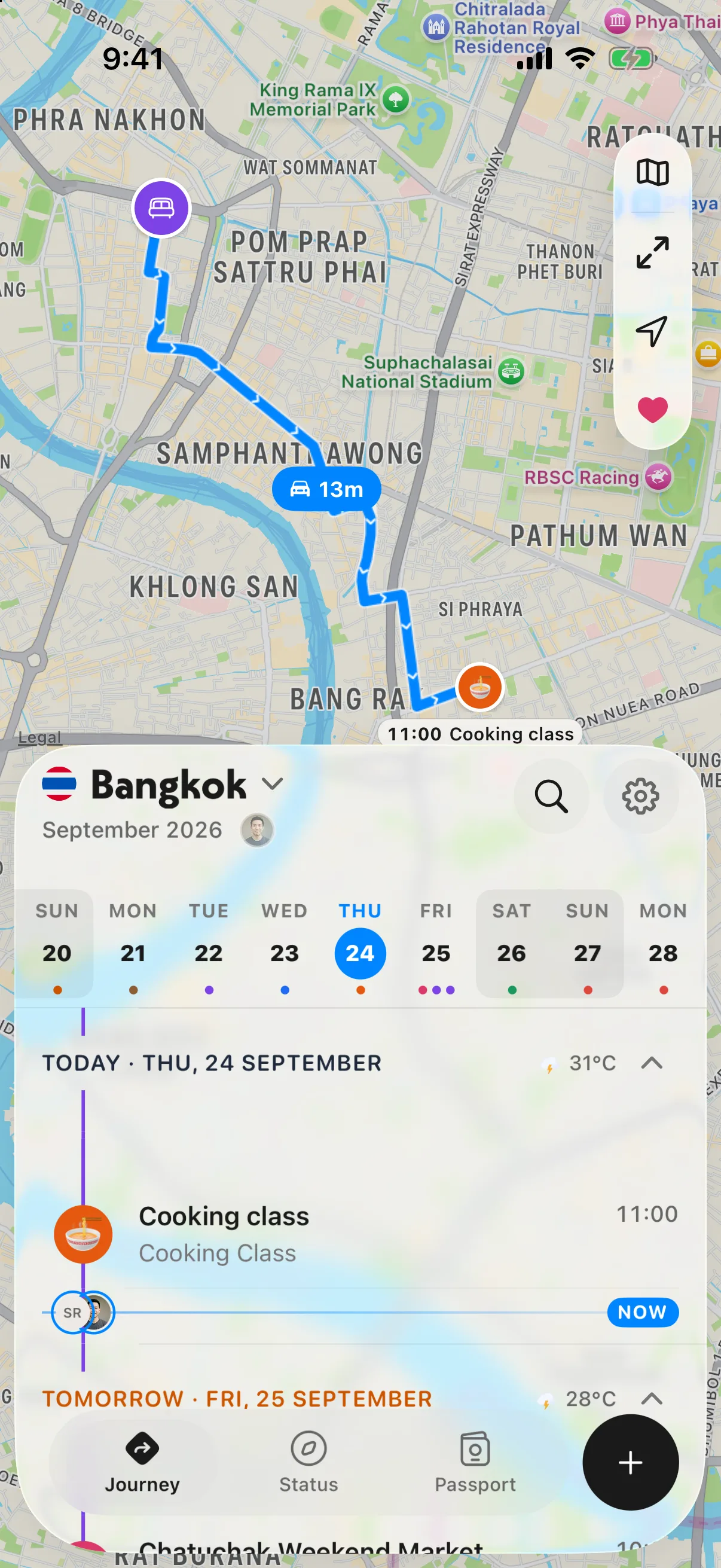
A day in Bangkok: where you are staying, where you are going next, and how long it takes.
Already on TripIt? NomadPoint Pro imports TripIt's calendar file, a Tripsy backup, a Flighty CSV or any .ics export, and a one-time import of your calendar is free.
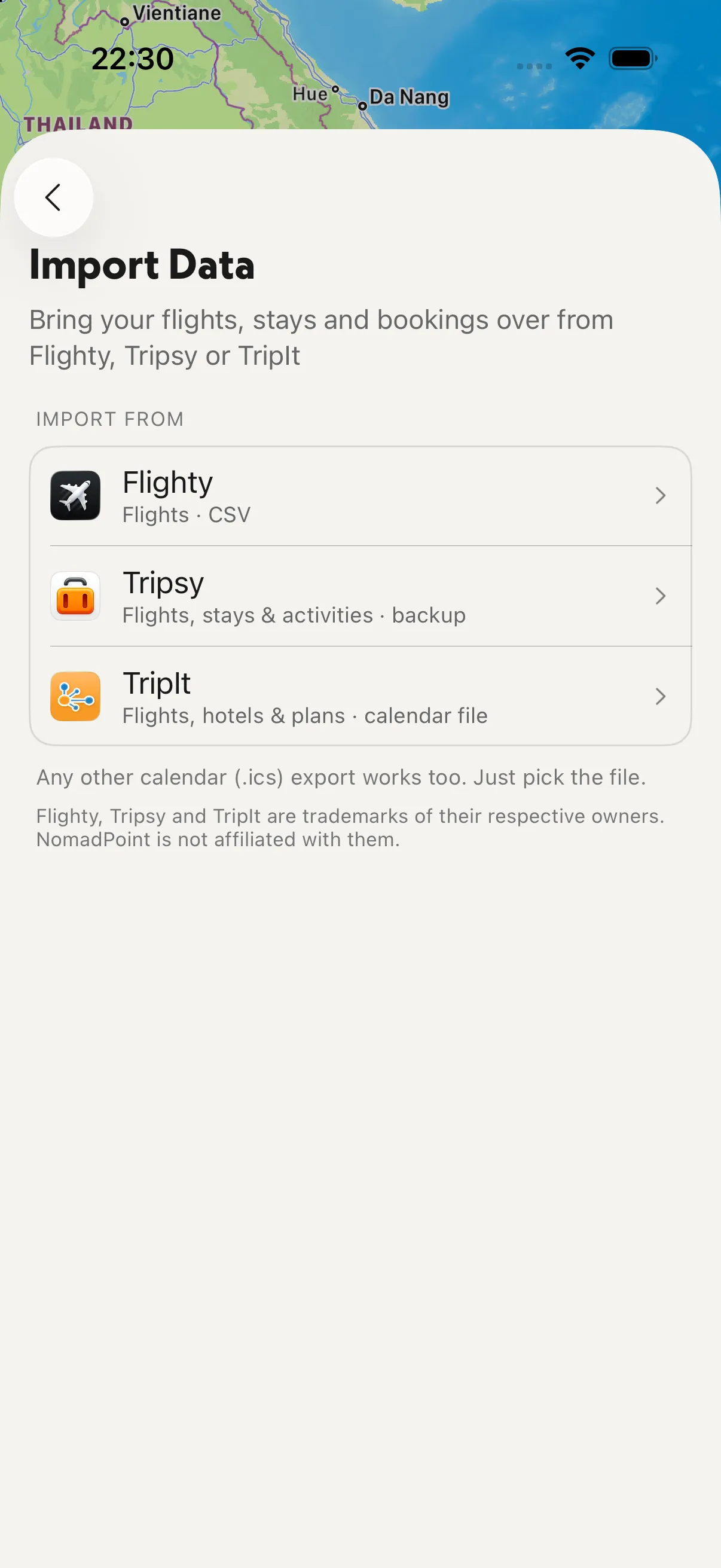
Import: TripIt, Tripsy, Flighty, or any calendar file.
On travel days, Pro puts your flight on the Lock Screen and updates it when it runs late or the gate is set.
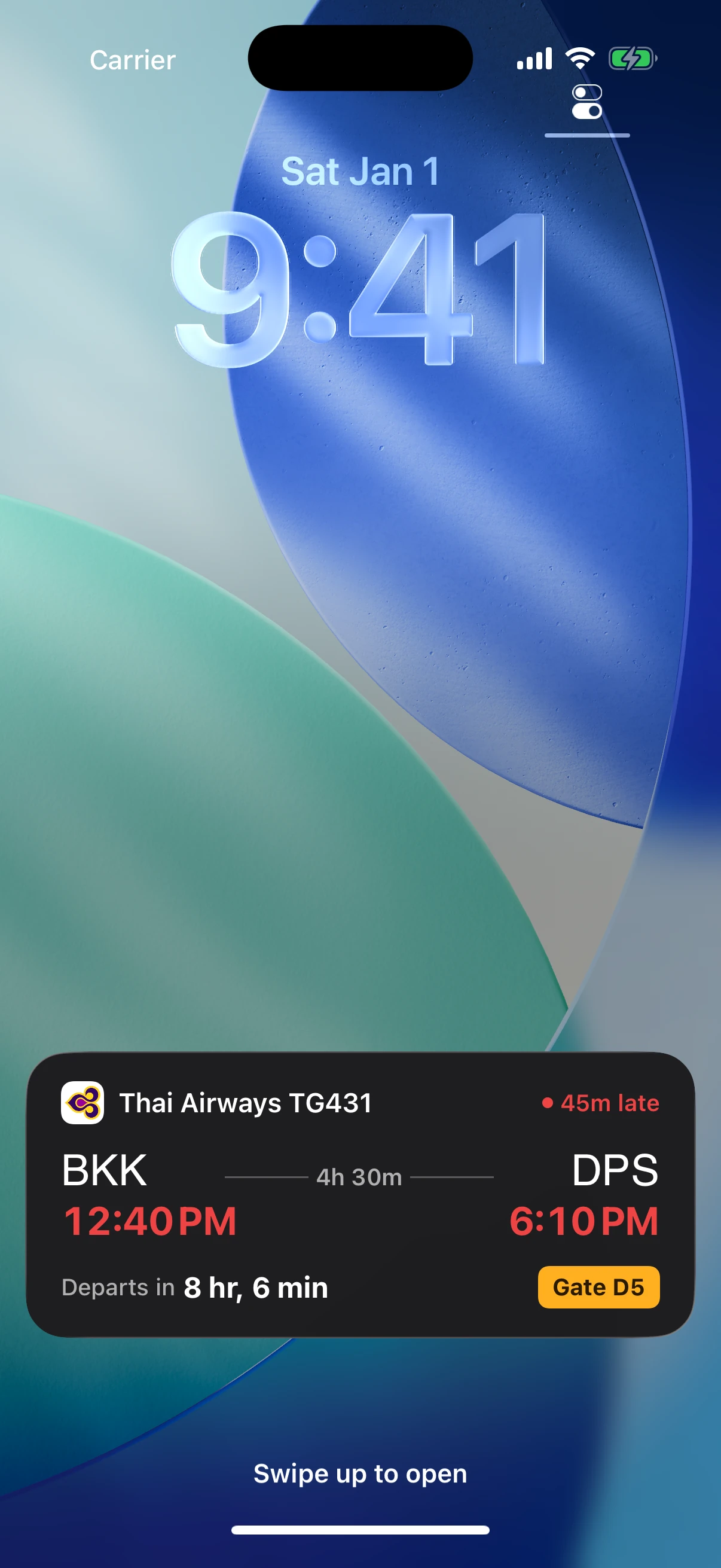
Your flight on the Lock Screen: delay, departure time and gate.
It also checks the entry rules for your passport and warns you before a visa or stay allowance runs out. Free: unlimited journeys, offline, your passport, entry rules for one destination and the first forwarded email. NomadPoint Pro is $39.99 a year with a 7-day free trial in the US, or $7.99 a month (see pricing).
Where it falls short, honestly:
- No automatic Gmail scan like Google. You forward the email or import your calendar.
- No fare or seat tracking like TripIt Pro or Google Flights.
- No Android app and no web app. On Android, TripIt or Google fit better.
More: NomadPoint vs TripIt, TripIt alternatives, TripIt vs KAYAK Trips and Stippl vs Polarsteps.
FAQ
TripIt vs Google Trips: which is better?
Google Trips no longer exists. Google folded it into google.com/travel in 2019, and today Gmail bookings show up in Google Calendar instead. TripIt still builds a full itinerary from your emails.
What replaced Google Trips?
No single app. Bookings from Gmail go to Google Calendar, saved places go to Google Maps lists, and flight search and price alerts are on Google Flights. For one itinerary app, look at TripIt, Wanderlog or NomadPoint.
TripIt vs Google Travel: is TripIt worth it if Google is free?
If you want your trip in one place, with offline access, yes: TripIt's free plan does that. Pay for Pro ($49 a year) only if you want flight alerts and airport help.
Google Travel vs Wanderlog: which is better for planning?
Wanderlog, for planning days. Google Maps lists hold places but don't order them by day. Google Flights is better for finding and tracking flight prices.
Why aren't my Gmail bookings showing in Google Calendar?
In the EEA, the UK, Switzerland and Japan, events from Gmail are off by default. Turn on smart features and "Show events from Gmail" in Calendar settings. Forwarded and cc'd emails aren't added.
Every booking, every day, and a heads-up when your flight changes. NomadPoint builds the journey and checks your flights and borders. Free to download.
Elad · Founder of NomadPoint
I build NomadPoint and write these guides. Spot something wrong or out of date? Write to me at support@nomadpoint.app.