Best Calendar App for Travel Planning (2026)
Which calendar app is best for travel: NomadPoint, Google Calendar, Apple Calendar, TripIt and Fantastical compared on getting flights and hotels in.
 By Elad · Nov 24, 2026 · 6 min read
The best calendar app for travel planning is NomadPoint (we make it). It reads the trips already in your calendar, turns them into a day-by-day journey with flights, stays and activities, and sends the journey back to Apple Calendar, Google Calendar or Outlook, where it stays up to date.
A plain calendar is good at telling you when. It's bad at telling you what's next on a trip: which terminal, when check-in opens, whether your passport is fine for the next border. That's the gap a travel app fills.
The short answer:
- Best overall: NomadPoint. Imports your calendar, plans the trip, and exports it back as a calendar that updates itself. iPhone, iPad, Mac and Apple Watch.
- Best free, if you use Gmail: Google Calendar. Flight and hotel emails in Gmail can become events on their own.
- Best built in on iPhone: Apple Calendar, with Siri suggesting events found in Mail.
- Best if you already use TripIt: its calendar feed shows your TripIt plans in your calendar.
- Best general calendar: Fantastical, for people who want a better calendar for everything, travel included.
App details below come from each company's own help pages and App Store listings, checked on 24 November 2026.
How the five compare
| App | How trips get in | Sends trips to your calendar | Price (US) |
|---|---|---|---|
| NomadPoint | Booking emails you forward, calendar import, imports from TripIt, Tripsy and Flighty (Pro) | Yes, a calendar feed for Apple, Google and Outlook | Free; Pro $39.99 a year |
| Google Calendar | Events from Gmail, such as flights and reservations | It is the calendar | Free |
| Apple Calendar | Siri suggestions from Mail, Messages and Safari | It is the calendar | Free, built in |
| TripIt | Confirmation emails forwarded to TripIt | Yes, a calendar feed | Free; Pro is paid |
| Fantastical | You add events, or it reads your existing calendars | It is the calendar | Free; Premium in-app purchase |
Sources: NomadPoint pricing; Google's help page on events from Gmail; Apple's iPhone guide to creating events in Calendar; TripIt's calendar feed setup; Fantastical on the App Store.
1. NomadPoint: your calendar in, a trip plan out
NomadPoint is a trip planner for iPhone, iPad, Mac and Apple Watch. It works with your calendar in both directions.
Calendar in. The free plan imports your calendar once, covering the past 12 months and everything ahead, so trips you already booked show up as journeys. Pro keeps the import in sync and reaches older years.
Calendar out. Export to Calendar adds your journeys to Apple Calendar, or gives you a link for Google Calendar and Outlook. Your flights, stays and plans show up there, and when the journey changes, the calendar updates on its own.
In between, NomadPoint does what a calendar can't:
- Lays the trip out day by day, on a map. Flights, stays and activities in time order.
- Watches your flights. With Pro, delay, gate and cancellation alerts come in as they happen.
- Checks the borders. Entry rules, visa status and days left for your passport, free for one destination.
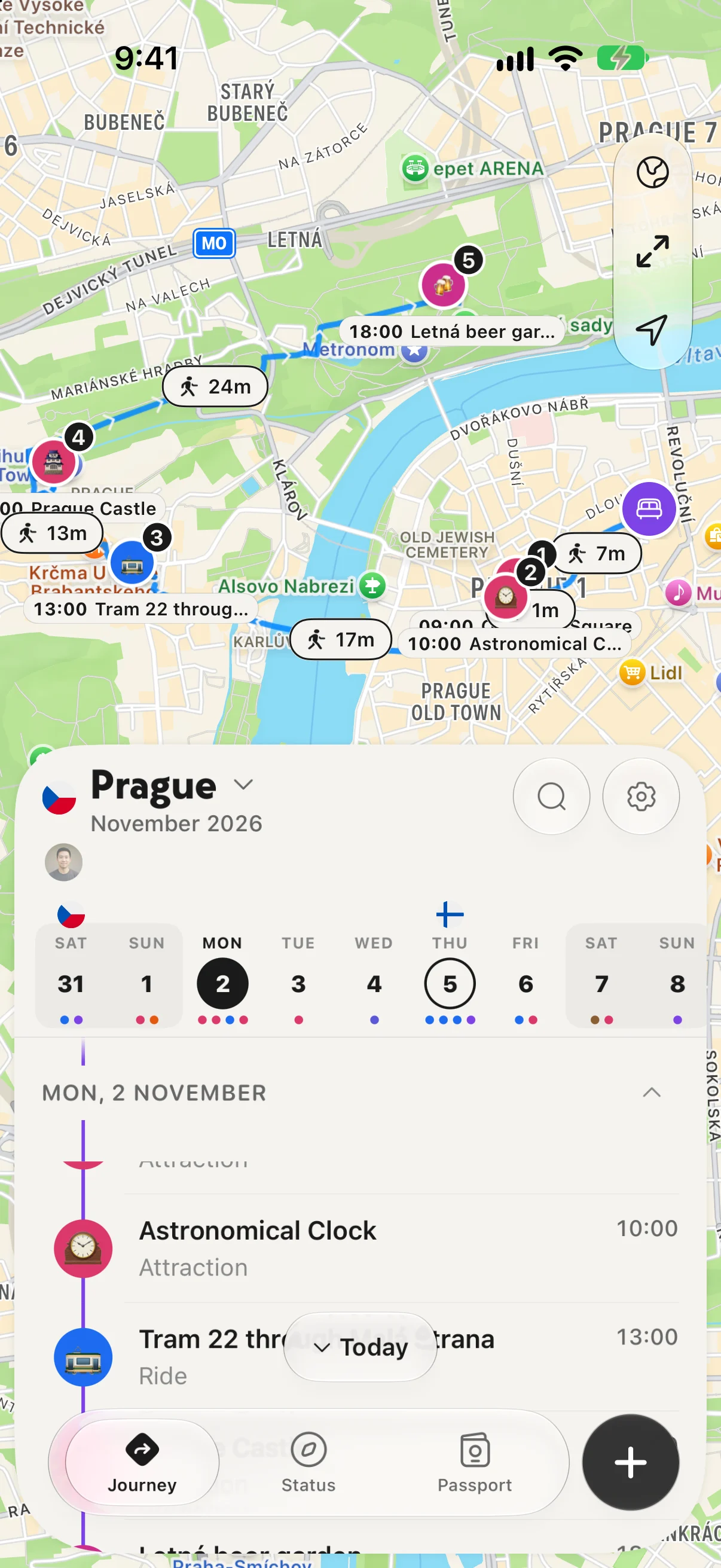
A day of a journey. In your calendar it's a list of times; here it's a plan on a map.
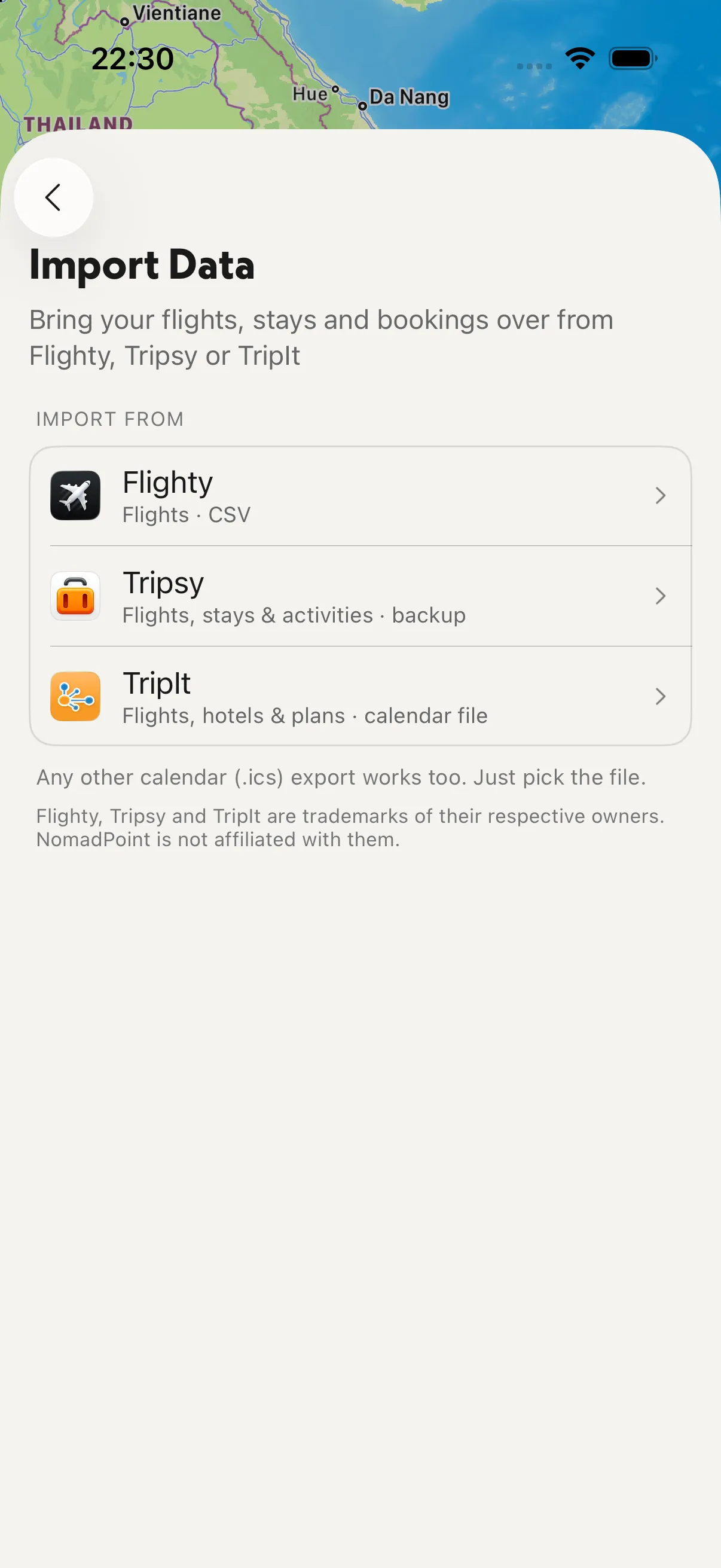
Import Data: bring trips over from Flighty, Tripsy or TripIt (Pro), on top of your calendar.
Where it falls short: there's no Android app. If you're on Android, Google Calendar plus TripIt is the closest setup.
2. Google Calendar: events straight from Gmail
If you use Gmail, Google Calendar can add events from emails about flights and reservations, including hotels (Google help). It's free and works on any phone.
One catch: Google says this setting is off by default in the EEA, Japan, Switzerland and the UK, and on elsewhere. Turn it on in Calendar settings if your flights aren't appearing.
Pick Google Calendar if your bookings land in Gmail and you only need the times in one place.
3. Apple Calendar: Siri finds the bookings
Apple Calendar comes with every iPhone. According to Apple's iPhone guide, Siri can suggest events it finds in Mail, Messages and Safari, such as flight reservations and hotel bookings. You can also add the travel time to an event.
Pick Apple Calendar if you want something built in and your bookings come by email to the Mail app.
4. TripIt: a calendar feed from your itinerary
TripIt builds itineraries from confirmation emails you forward to it. Its calendar feed then shows those itineraries in the calendar app you use, and it updates as your plans change.
Pick TripIt if you already forward bookings to it. We compared it with NomadPoint in the best TripIt alternatives.
5. Fantastical: a better calendar, not a trip planner
Fantastical is a calendar app for iPhone, iPad and Apple Watch. It's free to download, and Premium is an in-app purchase with a 14-day free trial. It's a great everyday calendar, but it doesn't know a flight from a meeting.
Pick Fantastical if you want one calendar for work and life, and you'll keep travel details elsewhere.
Which one should you use?
- You want the trip planned, not just dated: NomadPoint, with its feed in the calendar you already use.
- You live in Gmail: Google Calendar's events from Gmail.
- You want zero setup on iPhone: Apple Calendar.
- You already use TripIt: its calendar feed.
Most people need both: a calendar for the times, and a trip planner for everything around them.
Related reading: the best travel planning apps, the best app to organize a travel itinerary and our free travel itinerary template.
Frequently asked questions
What is the best calendar app for travel?
NomadPoint. It imports trips from your calendar, plans them day by day with flights, stays and entry rules, and sends the journey back to Apple, Google or Outlook calendars, updating as plans change.
Is there a free travel calendar app?
Yes. Google Calendar and Apple Calendar are free and can pick up bookings from email. NomadPoint's free plan includes a one-time calendar import and unlimited journeys.
How do I add flights to my calendar automatically?
In Google Calendar, turn on events from Gmail. On iPhone, let Siri suggest events from Mail. In NomadPoint, forward the booking email and the flight joins your journey and your calendar feed.
Can I see my whole trip in Google Calendar?
Yes. Add NomadPoint's calendar link in Google Calendar under Other calendars, From URL. Your flights, stays and plans appear there and stay up to date.
Your calendar knows when. NomadPoint knows what's next. Flights, stays and activities in one journey, and a calendar that updates itself. Free to download.
Elad · Founder of NomadPoint
I build NomadPoint and write these guides. Spot something wrong or out of date? Write to me at support@nomadpoint.app.