Free Travel Itinerary Template (Copy and Paste, 2026)
A free travel itinerary template to copy into Google Sheets, Excel, Notion or Word, with a filled-in example, plus an app that builds it for you.
 By Elad · Nov 24, 2026 · 6 min read
The easiest travel itinerary is one you don't type: NomadPoint (we make it) builds it for you. Forward your booking emails and the flights and stays land in the right day, and live flight changes update the plan.
If you'd rather keep it by hand, here's a free travel itinerary template you can copy into Google Sheets, Excel, Numbers, Notion, Word or Apple Notes. It has one row per thing you do, in time order, with the booking details you'll need on the day.
The short answer:
- Best overall: NomadPoint. The itinerary builds itself from your bookings, day by day on a map, and warns you before something breaks.
- Best free template: the one below. Paste it into any spreadsheet or notes app.
- Best template gallery: Notion, which has a whole Travel Planner category of templates, many of them free.
The template
Copy this table. Each row is one item: a flight, a check-in, an activity or a transfer.
| Date | Time | What | Where | Booking ref | Cost | Notes |
|---|---|---|---|---|---|---|
Put these at the top of the document, above the table:
- Trip: name and dates
- Travellers: names as on passports
- Passport expiry: for each traveller
- Emergency contacts: a family member, your travel insurer's 24-hour line, and the embassy at your destination
- Travel insurance: policy number
A filled-in example
Here's the same template for two days in Prague. The data is an example.
| Date | Time | What | Where | Booking ref | Cost | Notes |
|---|---|---|---|---|---|---|
| Sat 31 Oct | 09:40 | Flight out | Home airport to PRG | (example) ABC123 | (example) €120 | Check in opens 24 hours before |
| Sat 31 Oct | 15:00 | Hotel check-in | Old Town | (example) 98765 | (example) €95 a night | Ask for late checkout |
| Mon 2 Nov | 10:00 | Astronomical Clock | Old Town Square | Get there 10 minutes early for the hour | ||
| Mon 2 Nov | 13:00 | Tram 22 to the castle | Malá Strana | Buy the ticket before boarding | ||
| Mon 2 Nov | 18:00 | Beer garden | Letná |
How to fill it in, step by step
- Start with the fixed things. Flights, trains and hotel check-ins first, with their times and booking references.
- Add one row per activity. Keep the time column filled, even if it's rough. It's how you spot a day that's too full.
- Write the time zone into flight rows. Airlines show departure and arrival in local time, which is easy to misread.
- Add transfers. How you get from the airport to the hotel is the step most itineraries forget.
- Check entry rules for every country. Visa, passport validity and arrival forms. See how to check entry requirements.
- Save a copy offline. Export a PDF or keep it in a notes app that works without signal.
Which tool should you put it in?
| Tool | Good for | Weak spot |
|---|---|---|
| NomadPoint | Builds the itinerary from your bookings, on a map, offline | Apple devices only |
| Google Sheets or Excel | Free, easy to sort and total costs | No map, nothing updates on its own |
| Notion | Pretty pages, lots of ready templates | Manual, and slow to open on a phone |
| Word or Google Docs | Printing | Hard to reorder |
| Apple Notes | Quick, works offline | No columns to sort |
Notion's template gallery has a Travel Planner category with hundreds of templates for itineraries and reservations, and many are marked free.
The weak spot of every template is the same. It doesn't know when your flight changes. If an airline moves your departure, the spreadsheet still shows the old time. We compared both approaches in trip planner app vs spreadsheet.
Skip the template: let NomadPoint build it
NomadPoint is a trip planner for iPhone, iPad, Mac and Apple Watch. It keeps the same columns as the template (date, time, what, where, booking details), but fills them in for you:
- Forward a booking email, and the flight or stay lands in the right day. The first one is free.
- Import your calendar once on the free plan, so trips you already have show up.
- Add activities by searching for a place. They go on the day and on the map.
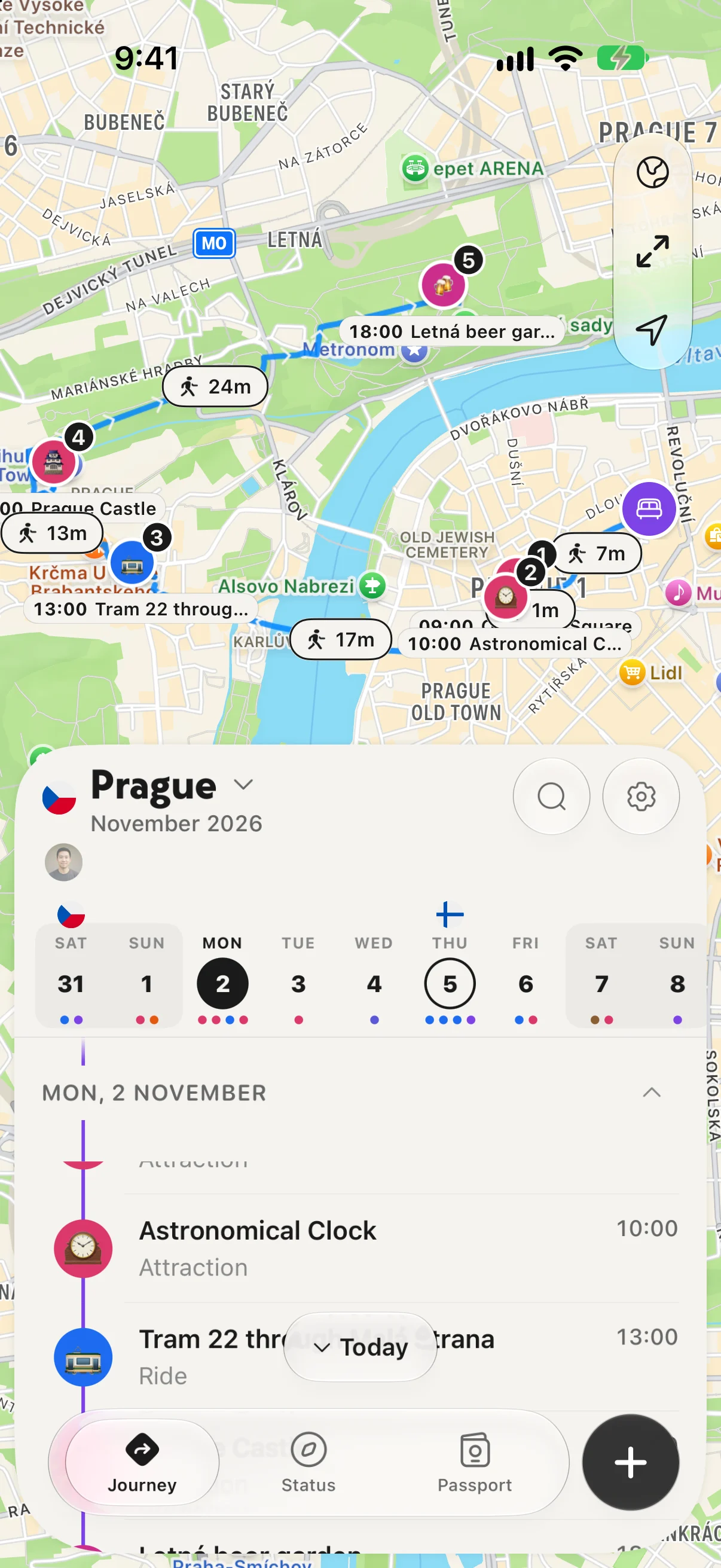
A day in Prague. The same rows as the template, in time order and on the map.
Then it does what a template can't. With Pro, delay, gate and cancellation alerts come in as they happen. Entry rules and days left for your passport sit on each country page.
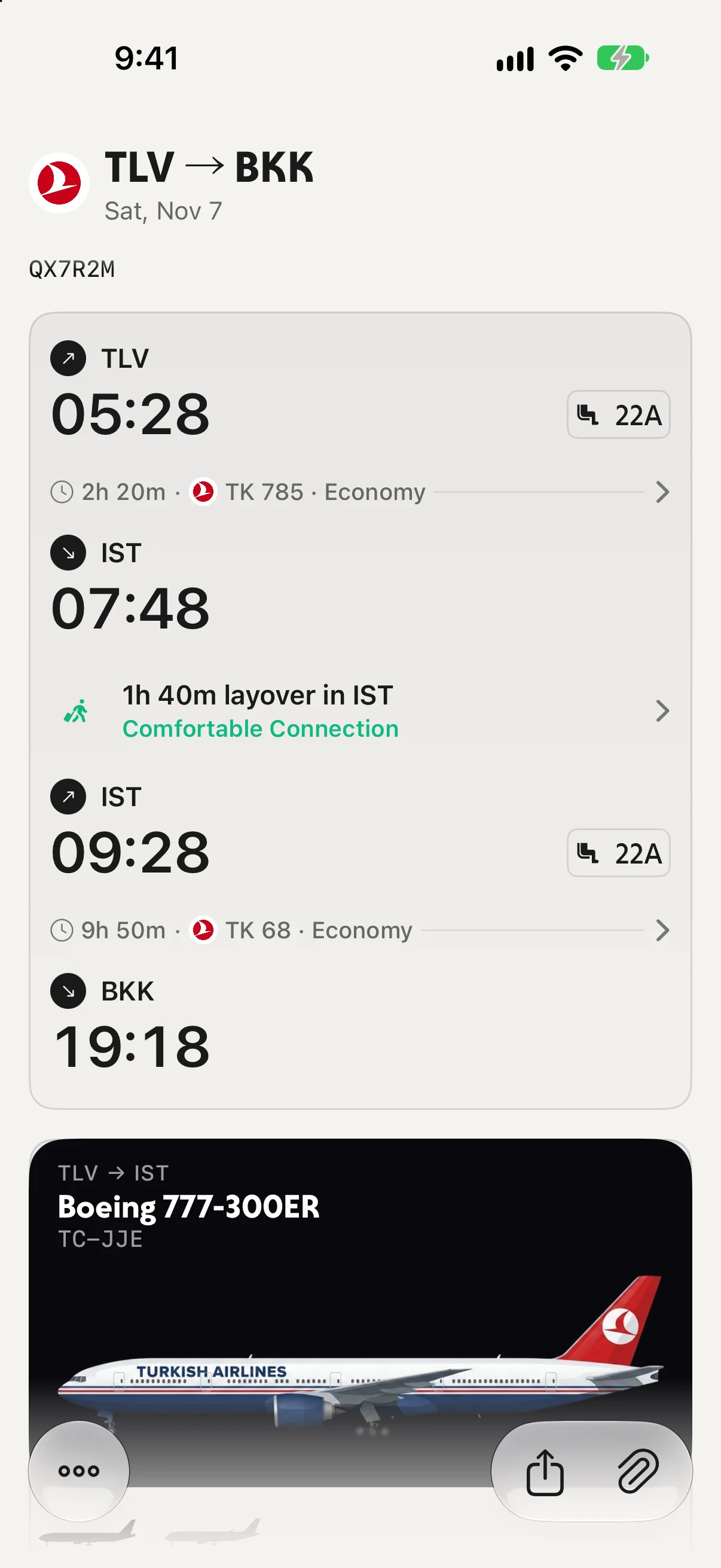
A flight in the itinerary: booking code, times, seats and the layover, all filled in from the booking.
The whole itinerary works offline on the free plan. See pricing for what Pro adds.
For more, read the best app to organize a travel itinerary and how to plan a multi-city trip.
Frequently asked questions
Is there a free travel itinerary template for Google Sheets?
Yes, the one on this page. Copy the table and paste it into a new sheet; the columns line up. Add a total at the bottom of the Cost column.
What should a travel itinerary include?
Date, time, what you're doing, where, booking reference, cost and notes for each item. At the top, add travellers, passport expiry dates, emergency contacts and your insurance policy number.
Is there an itinerary template for Notion?
Yes. Notion's template gallery has a Travel Planner category with many free itinerary templates. You can also paste the table above into a Notion page.
What's the best app instead of a template?
NomadPoint. It builds the itinerary from your booking emails and calendar, shows it day by day on a map, and keeps it up to date when a flight changes.
Your itinerary, without the spreadsheet. NomadPoint keeps flights, stays and activities in one journey and already knows your next step. Free to download.
Elad · Founder of NomadPoint
I build NomadPoint and write these guides. Spot something wrong or out of date? Write to me at support@nomadpoint.app.